
Most teams conduct threat analysis and risk assessment (TARA) using spreadsheets, which creates maintainability challenges. As requirements change, a formula that references a deleted sheet becomes problematic. This article proposes conducting TARA within Polarion instead.
Five Steps, Five Views
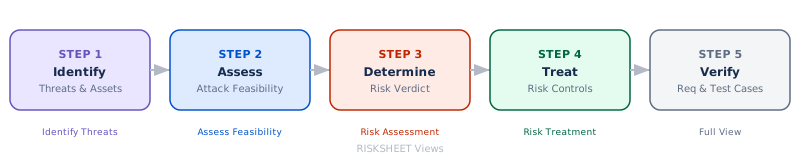
TARA implementation follows five sequential steps, each with its own dedicated view that displays only relevant columns for that phase.
1. Identify Threats
Users select stakeholder catalogs and CIAx properties, then describe damage and link threat scenarios. The system emphasizes structured data entry through dropdowns rather than free-text fields.
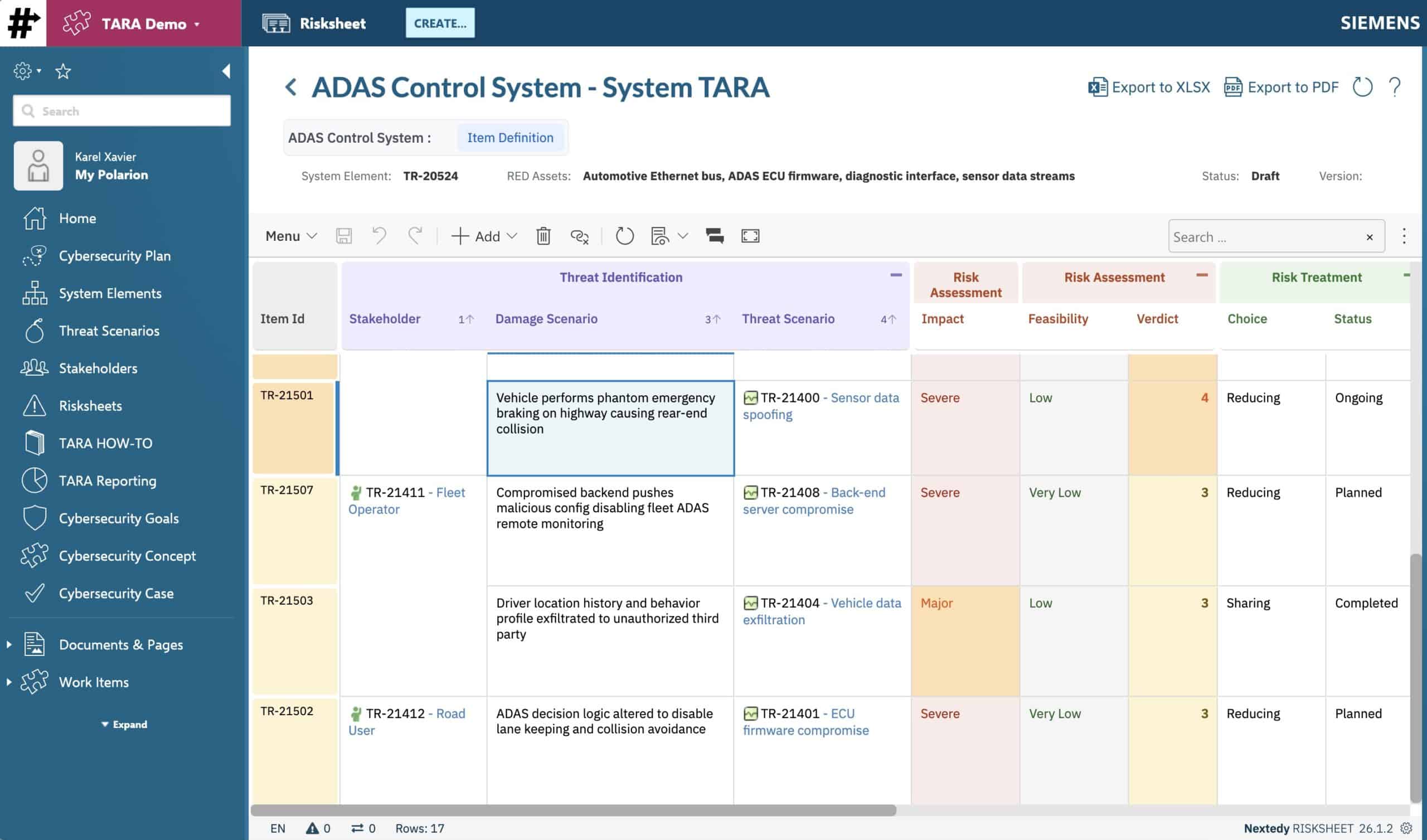
2. Score Feasibility & Determine Risk
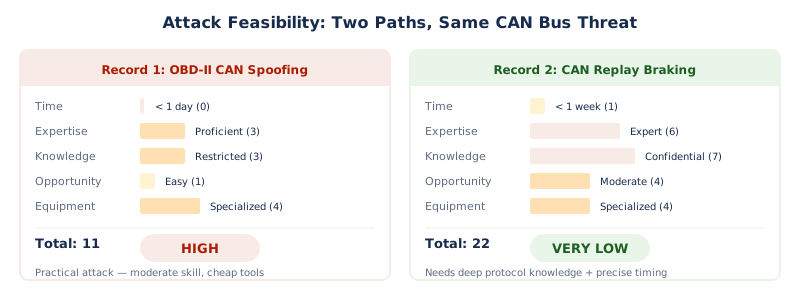
Five factors from ISO 21434 Annex H guide scoring:
Elapsed Time
Expertise
Knowledge
Window of Opportunity
Equipment
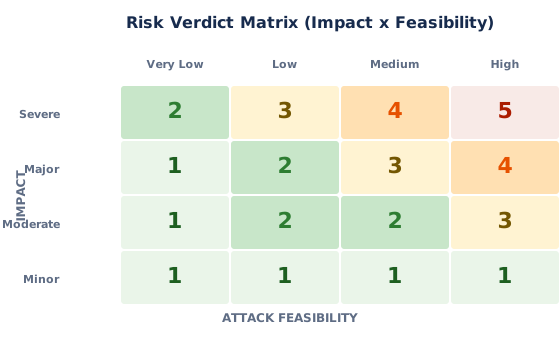
Five dropdowns in, feasibility out. No manual lookups. Automated calculations map Impact × Feasibility to risk levels (1–5), recognizing that severity alone doesn’t determine risk.
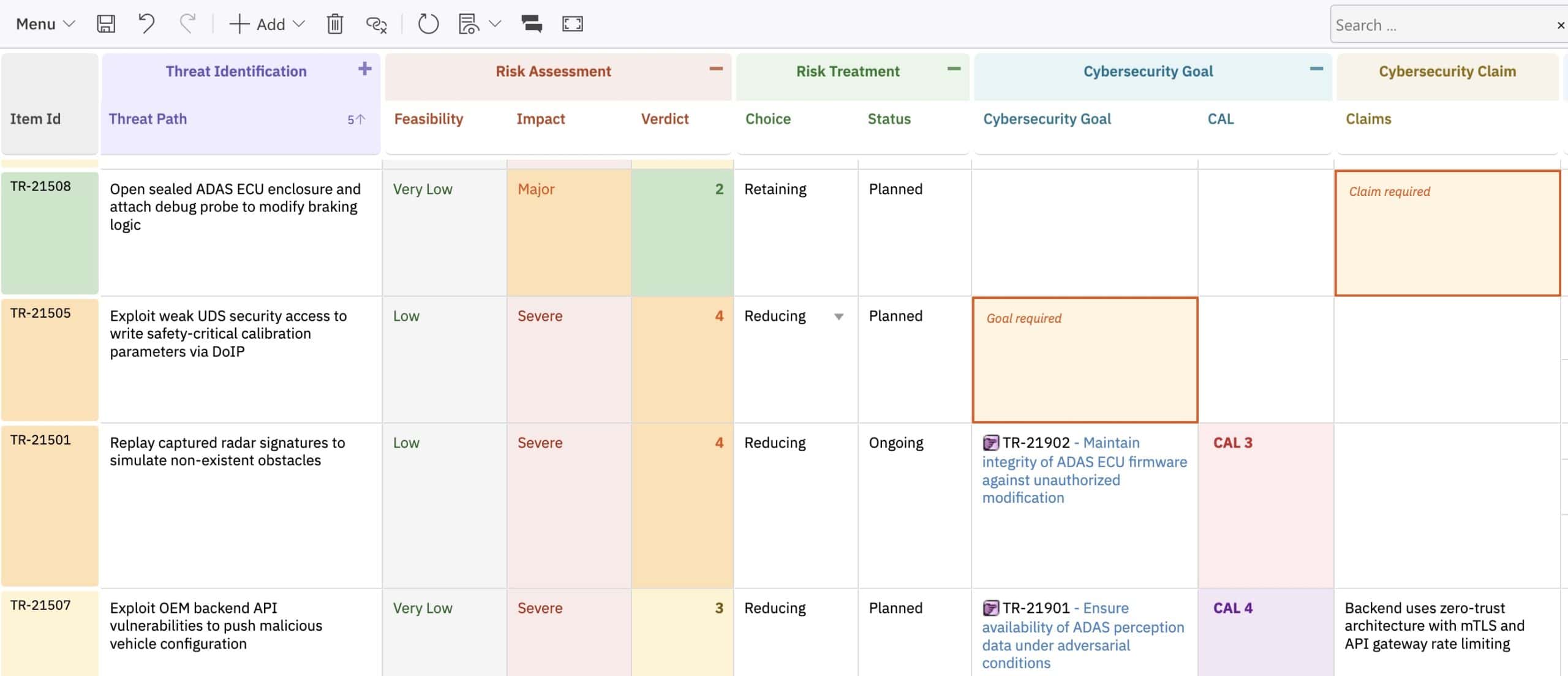
3. Treat & Verify
Reducing: Define goals and controls
Avoiding: Eliminate attack paths
Sharing: Document claims
Retaining: Document acceptance justification
Goals trace to requirements; requirements trace to test cases through actual Polarion relationships.
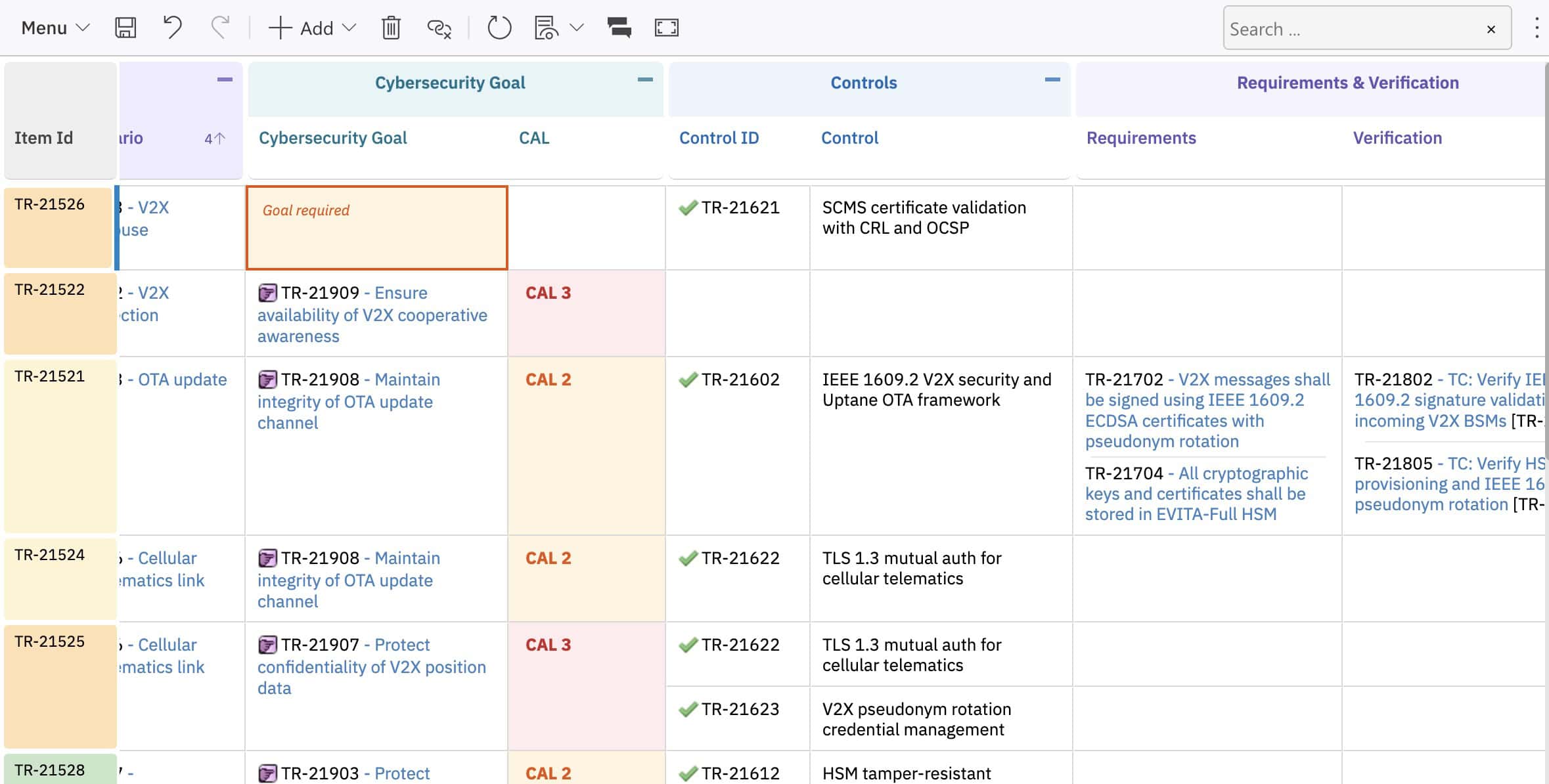
What Changes When You Leave Excel
Traceability becomes structural rather than cell-based
Formulas are enforced, preventing manual overwrites
Views organize information by workflow phase
Multi-level TARA (system, subsystem, component) operates from a single template
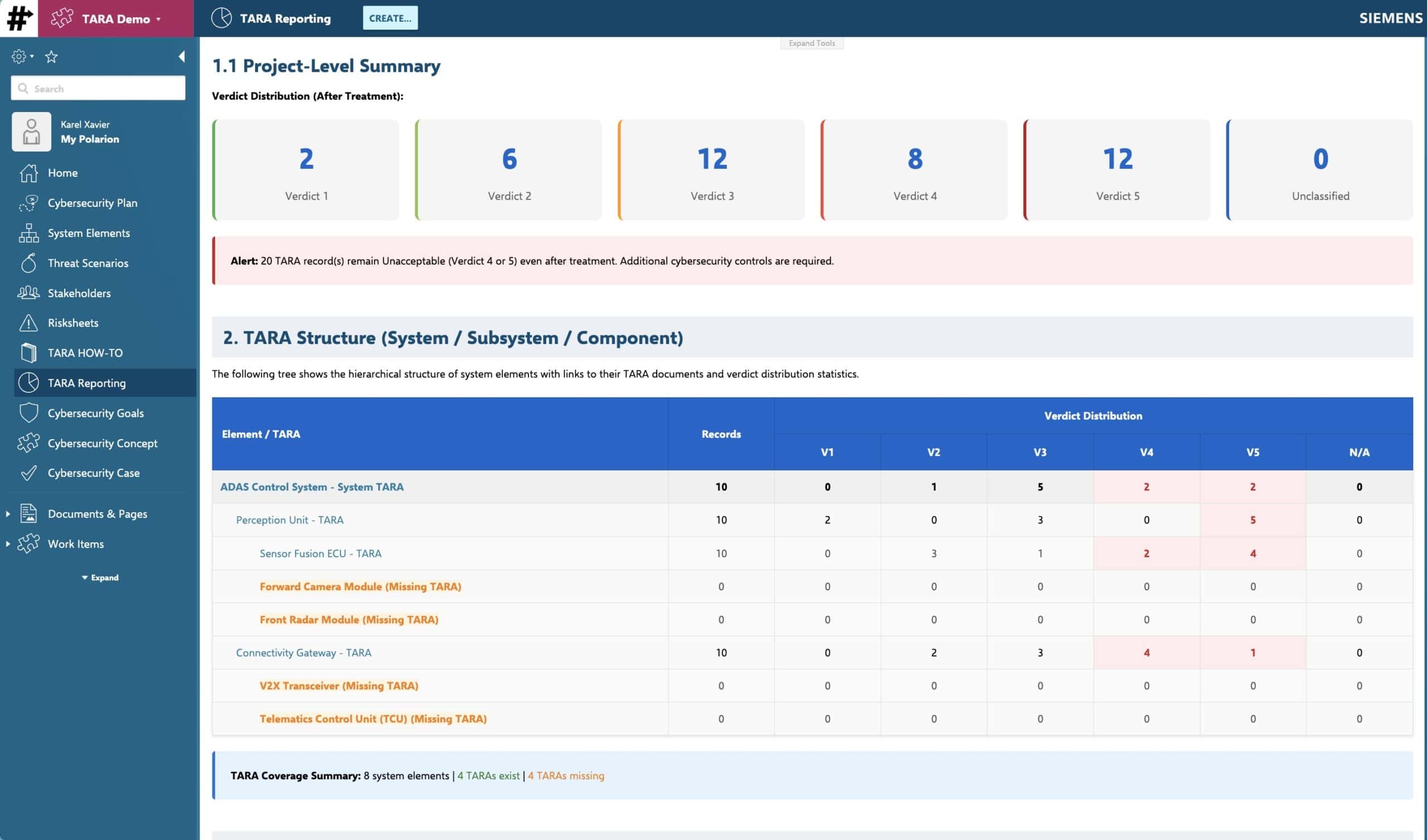
Try a complete TARA template with four modules, linked catalogs, automated scoring, and requirement traceability.